
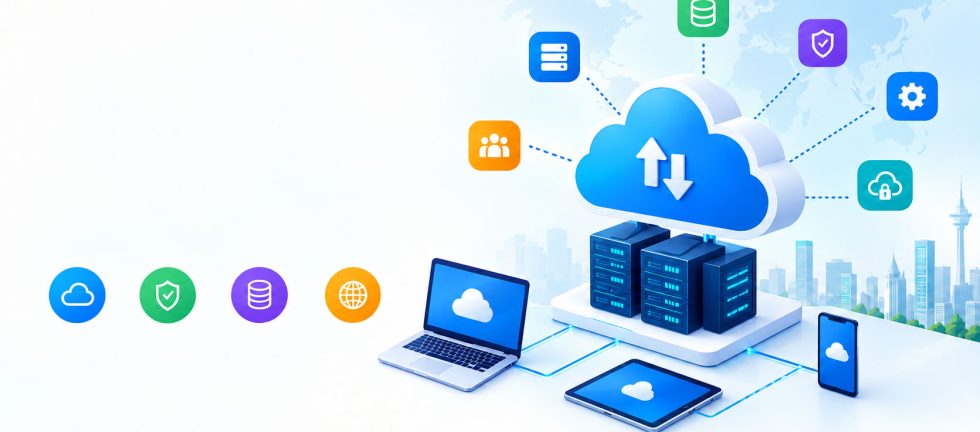
Businesses today need technology that is flexible, secure, scalable, and cost-effective. Traditional on-premises infrastructure can require significant investment in servers, networking equipment, maintenance, security, and IT staff. Cloud computing services offer a modern alternative by allowing businesses to access computing resources over the internet without having to manage all the underlying infrastructure themselves.
From cloud storage and virtual servers to cloud backup, cybersecurity, software hosting, and data analytics, cloud technology has become an important part of digital transformation.
Whether you are a small business, growing company, educational institution, healthcare organization, or enterprise, understanding cloud computing services can help you choose the right technology infrastructure for your needs.
What Are Cloud Computing Services?
Cloud computing services are technology services delivered over the internet instead of being hosted entirely on a company’s local computers or physical servers.
These services can include computing power, storage, databases, networking, software, backup solutions, security, and application hosting.
Instead of purchasing and maintaining expensive physical infrastructure, businesses can use cloud resources based on their requirements. Cloud providers manage much of the underlying infrastructure, allowing organizations to focus more on their operations and customers.
For example, a company can use cloud computing to:
- Host its business website
- Store important business data
- Back up files and databases
- Run business applications
- Host email and collaboration tools
- Deploy software applications
- Scale computing resources during busy periods
- Improve disaster recovery
- Support remote employees
This flexibility makes cloud computing services suitable for businesses of different sizes and industries.
How Does Cloud Computing Work?
Cloud computing works by providing computing resources through internet-connected data centers.
Instead of running an application or storing files exclusively on a local computer or office server, users can access resources hosted in a remote data center.
When a business uses a cloud service, the provider typically manages the physical servers, networking infrastructure, storage systems, and other underlying components.
Users can then access their applications and data through computers, smartphones, tablets, or other internet-connected devices.
Cloud platforms can also allocate resources dynamically. For example, an online store may need more computing capacity during a major sales event. Cloud infrastructure can allow the business to increase resources when demand rises and reduce them when demand returns to normal.
What Are the Main Types of Cloud Computing Services?
Cloud computing is generally divided into several service models. The three most common are Infrastructure as a Service (IaaS), Platform as a Service (PaaS), and Software as a Service (SaaS).
1. Infrastructure as a Service (IaaS)
IaaS provides virtualized infrastructure such as servers, storage, networking, and computing resources.
Instead of purchasing physical servers, businesses can rent infrastructure based on their requirements.
IaaS can be useful for:
- Web hosting
- Application hosting
- Virtual servers
- Database environments
- Development environments
- Business applications
- Backup infrastructure
This model gives businesses greater control over their computing environment while reducing the need for physical infrastructure.
2. Platform as a Service (PaaS)
PaaS provides developers with an environment for building, testing, deploying, and managing applications.
With PaaS, developers do not have to manage every component of the underlying infrastructure. They can focus primarily on application development.
PaaS can help organizations accelerate software development and simplify deployment.
3. Software as a Service (SaaS)
SaaS provides software applications through the internet.
Users generally access SaaS applications through a web browser or dedicated application without installing and maintaining the software infrastructure themselves.
Examples can include:
- Business management software
- Customer relationship management systems
- Accounting applications
- Collaboration platforms
- Email services
- Project management software
SaaS is one of the most familiar forms of cloud computing because businesses can subscribe to applications and access them from different locations.
What Are the Benefits of Cloud Computing Services?
Cloud computing can provide several benefits for businesses and organizations.
Scalability
One of the biggest advantages of cloud computing is scalability.
Businesses can increase or decrease computing resources according to their requirements. This can be particularly useful for companies experiencing seasonal demand or rapid growth.
Instead of purchasing additional physical servers whenever demand increases, businesses can often scale cloud resources more efficiently.
Lower Infrastructure Costs
Traditional IT infrastructure can require substantial upfront investment.
Businesses may need to purchase servers, networking equipment, storage devices, backup systems, and other hardware.
Cloud computing can reduce the need for large upfront hardware investments because organizations can use cloud resources through flexible pricing models.
Remote Accessibility
Cloud applications and data can generally be accessed from locations with an internet connection.
This makes cloud computing particularly useful for remote and hybrid teams.
Employees can collaborate on documents, access business applications, communicate with colleagues, and work with company resources without necessarily being physically present in the office.
Data Backup and Disaster Recovery
Cloud services can play an important role in business continuity.
Organizations can use cloud backup solutions to create copies of important files, databases, applications, and other business information.
If hardware fails, files are accidentally deleted, or another disruption occurs, cloud-based backups can help organizations restore critical information.
Improved Collaboration
Cloud-based applications can make collaboration easier by allowing multiple users to access shared resources.
Teams can work together across different offices, cities, or countries without relying exclusively on local infrastructure.
Faster Deployment
Cloud infrastructure can often be provisioned faster than traditional physical infrastructure.
Businesses can deploy servers, databases, applications, and development environments without waiting for physical hardware to be purchased and installed.
Are Cloud Computing Services Secure?
Security is one of the most important considerations when selecting cloud computing services.
A reputable cloud provider can implement security measures such as encryption, access controls, network security, monitoring, authentication, and regular infrastructure maintenance.
However, cloud security is a shared responsibility.
Businesses must also implement appropriate security practices. These can include:
- Strong passwords
- Multi-factor authentication
- Role-based access controls
- Regular software updates
- Data encryption
- Security monitoring
- Employee security training
- Regular backups
- Disaster recovery planning
Moving to the cloud does not automatically make an organization secure. Businesses should select providers carefully and establish appropriate security policies.
Cloud Computing Services for Small Businesses
Cloud computing is not limited to large enterprises.
Small businesses can use cloud services to access technology that might otherwise require significant investment.
For example, a small company can use cloud services for:
- Website hosting
- File storage
- Data backup
- Accounting software
- Customer management
- Business applications
- Virtual servers
- Cybersecurity
- Collaboration
This allows small organizations to build a modern IT environment without maintaining a large physical server infrastructure.
For businesses in Pakistan, cloud computing can also support distributed teams and organizations operating across cities such as Islamabad, Lahore, Karachi, Rawalpindi, Faisalabad, and other regions.
Cloud Computing Services for Enterprises
Large organizations often have more complex infrastructure requirements.
Enterprise cloud solutions can support:
- Large-scale application hosting
- Enterprise databases
- Big data processing
- Business intelligence
- Disaster recovery
- Hybrid cloud environments
- Private cloud infrastructure
- Application modernization
- High-availability systems
Enterprises may also combine cloud infrastructure with existing on-premises systems.
This approach is commonly known as hybrid cloud computing.
What Is Hybrid Cloud Computing?
Hybrid cloud computing combines private infrastructure with public cloud resources.
For example, an organization might keep sensitive workloads on private infrastructure while using public cloud resources for applications that require additional scalability.
Hybrid cloud can provide businesses with greater flexibility while allowing them to maintain control over specific systems or data.
It can be particularly useful for organizations that cannot or do not want to move all workloads to a public cloud environment.
How Much Do Cloud Computing Services Cost?
The cost of cloud computing services depends on several factors.
These may include:
- Computing requirements
- Storage capacity
- Number of users
- Bandwidth usage
- Application requirements
- Security requirements
- Backup requirements
- Support requirements
- Service level agreements
Some cloud services use subscription-based pricing, while infrastructure services may use usage-based pricing.
Businesses should evaluate their actual requirements before selecting a cloud package.
The cheapest option is not always the best option. Reliability, security, scalability, technical support, performance, and backup capabilities should also be considered.
How to Choose the Right Cloud Computing Service Provider
Choosing the right cloud provider is an important decision.
Before selecting a provider, businesses should evaluate:
Security
Check what security controls, encryption options, authentication mechanisms, and monitoring capabilities are available.
Reliability
Review the provider’s infrastructure, availability commitments, redundancy, and disaster recovery capabilities.
Scalability
Make sure the service can grow with your organization.
Performance
Evaluate server performance, network connectivity, storage performance, and expected application workloads.
Technical Support
Reliable technical support can be extremely important when business-critical applications are hosted in the cloud.
Data Location and Compliance
Businesses should understand where their data is stored and whether the provider can meet applicable regulatory and compliance requirements.
Pricing
Compare pricing carefully and consider both current requirements and future growth.
Cloud Computing vs Traditional IT Infrastructure
Traditional IT infrastructure generally requires businesses to purchase, maintain, and upgrade physical equipment.
Cloud computing moves much of this infrastructure management to a cloud provider.
| Feature | Traditional IT | Cloud Computing |
|---|---|---|
| Hardware | Purchased by business | Provided by cloud provider |
| Initial investment | Usually higher | Often lower |
| Scalability | Requires hardware upgrades | Usually more flexible |
| Maintenance | Managed internally | Provider manages infrastructure |
| Remote access | May require additional setup | Generally easier |
| Backup | Often managed internally | Cloud backup options available |
| Deployment | Can take longer | Often faster |
The right approach depends on an organization’s security, performance, compliance, budget, and operational requirements.
What Industries Can Use Cloud Computing Services?
Almost every industry can benefit from cloud technology.
Education
Schools, colleges, and universities can use cloud platforms for learning management systems, student information systems, collaboration, online classes, and data storage.
Healthcare
Healthcare organizations can use cloud infrastructure for applications, data management, backups, analytics, and digital services while following applicable security and compliance requirements.
Retail
Retail companies can use cloud computing for e-commerce platforms, inventory systems, customer data, analytics, and business applications.
Financial Services
Financial organizations can use cloud infrastructure for data processing, analytics, applications, and scalable computing environments while maintaining appropriate security and regulatory controls.
Software Companies
Software development companies can use cloud services for web development, testing, application hosting, databases, deployment, and scalable production environments.
Frequently Asked Questions About Cloud Computing Services
What are cloud computing services?
Cloud computing services provide computing resources such as servers, storage, databases, networking, software, and applications over the internet.
Why should businesses use cloud computing?
Businesses can use cloud computing to improve scalability, remote accessibility, infrastructure flexibility, backup capabilities, and operational efficiency.
Is cloud computing suitable for small businesses?
Yes. Small businesses can use cloud services for hosting, storage, backup, email, business applications, collaboration, and other IT requirements without investing heavily in physical infrastructure.
Is cloud computing secure?
Cloud computing can be highly secure when the provider and customer implement appropriate security controls. Businesses should evaluate encryption, authentication, access management, monitoring, backups, and compliance requirements.
What is the difference between public and private cloud?
A public cloud uses infrastructure provided by a third-party cloud provider, while a private cloud environment is dedicated to a specific organization. Some businesses use a hybrid approach that combines both.
Can cloud computing reduce IT costs?
Cloud computing can reduce certain infrastructure and maintenance costs, particularly by reducing the need for businesses to purchase and maintain physical servers. Actual savings depend on usage, architecture, licensing, support, and management requirements.
Take the Next Step with Cloud Computing
Cloud computing services have transformed how businesses build, operate, and scale their technology infrastructure. Instead of relying entirely on physical servers and local systems, organizations can access flexible computing resources, applications, storage, backup, and security services through the cloud.
For small businesses, cloud computing can provide access to modern technology without significant infrastructure investment. For larger organizations, it can support scalability, application modernization, analytics, disaster recovery, and complex enterprise workloads.
The key is to choose cloud services based on your organization’s actual requirements rather than simply selecting the cheapest or most popular option.
Before moving to the cloud, evaluate your applications, data, security requirements, compliance obligations, budget, performance needs, and future growth. With the right strategy and service provider, cloud computing can become a strong foundation for digital transformation and long-term business growth.